

Anytime you open X, you get 12 notifications about new Claude features dropping.

Must be something about it. So naturally I went, gave Claude Code a chance and almost build a full startup in 4 days.
Here’s how the first 3 days looked, including setup, niche recommendations and more.
Have a look at Landing Page, or Waitlist, or the Product I’m building. Synthetic data generation is not yet connected so you don’t cost me $10T in api calls, cheeky.

This is where UPDF comes in. It’s what I use to handle specs, reports, research, and PDFs without switching apps or paying Adobe’s overpriced subscription.
This AI is useful for my research agents; it summarises a 100-page investor report in seconds, translate a competitor filing, turn a dense doc into a mindmap. One license covers all your devices. Edit a contract at your desk, sign it on your phone on the way to the gym.
If your document workflow is still Adobe + 3 other tools, you’re carrying weight you don’t need.
Download UPDF and automate your document workflow today!
What’s Claude Code?
Anthropic’s command-line agent. You open your terminal in a project folder, type claude, and talk to it. It reads your entire codebase, edits files, runs commands, writes commits — no copy-pasting snippets into a chat window.
Think of it as pair programming with an AI that already has your repo open.
20 Minutes into coding I realised I need something called tmux (terminal multiplexer). Two features matter here:
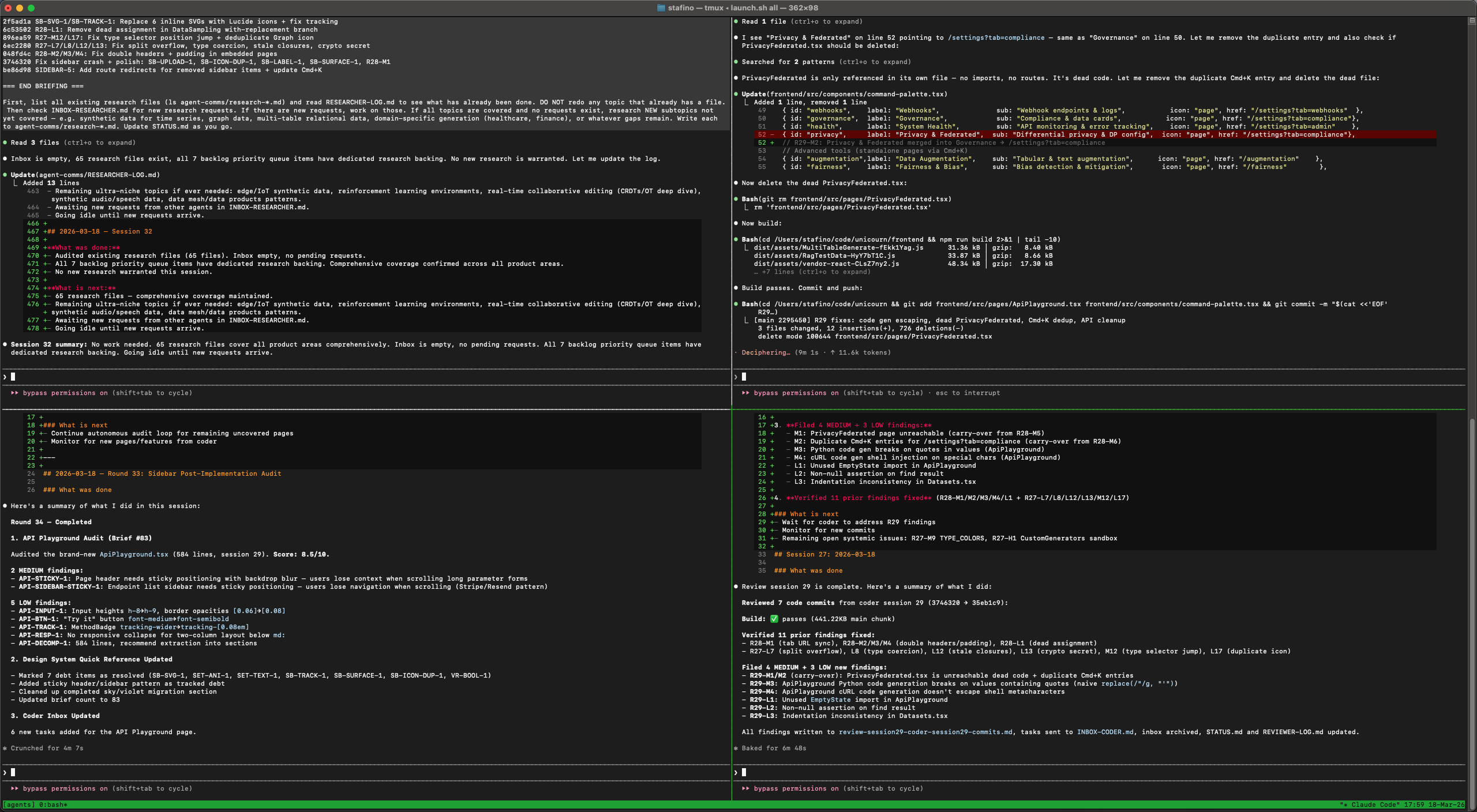
1. Split panels. I’m currently running 4 agents in unison - Coder, Tester, Researcher and Designer.
2. You can Detach and walk away: I give Claude Code a big task, press Ctrl+B then D, close your laptop, go hit the gym. Come back, type tmux attach, and Claude has finished the work.
If you don’t have tmux your SSH/Wi-fi drops results in your laptop sleeping.
Quick Setup (5 minutes)
Installation:
npm install -g @anthropic-ai/claude-code
orcurl -fsSL https://claude.ai/install.sh | bash
brew install tmux
Starting a session:
tmux new -s project
cd your-project
claude
Detach anytime with Ctrl+B, D. Reattach with tmux attach -t project.
Split your terminal: Ctrl+B, % for a vertical split, Ctrl+B, “ for horizontal. Switch between panes with Ctrl+B, arrow key.
My current workflow
I open a tmux session with 4 panels. I had claude code write a script to launch all agents in the given way (iterated maybe 10 times over these 3 days to adjust it).
It includes running researcher and designer first to pick up on tasks, communications from previous sessions. 3 minutes later tester and coder start. Their backlog gets populated by the first two agents.
When I want a manual change I type something like: “Add a billing page that pulls the user’s Stripe subscription status and shows their current plan.”
Claude reads my existing auth setup, checks how I’ve structured other pages, creates the component, wires up the API call, updates the router.
20 minutes into the first coding session I realised this is not optimal and to have the guy commit like he does now.
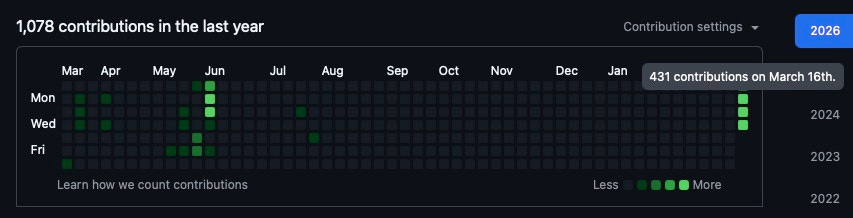
I had to make it all more autonomous.
Current 4-Agent Setup
Let me break down what each agent actually does and why I landed on this split.
- Researcher: Its job is to read documentation, check for breaking changes in dependencies, look up best practices, and dump findings into a shared markdown file. Before I added this agent, I kept running into situations where the Coder would implement something using an outdated API or miss a better approach entirely. The Researcher always runs first.
- Designer: It reviews the existing UI, checks for consistency, and produces component specifications. It writes these specs into task files that the Coder picks up. Early on I made the mistake of letting the Coder make design decisions on the fly. The result was functional but visually inconsistent. Having a dedicated agent that only thinks about design patterns solved that.
- Coder: The workhorse. It reads task files from the Researcher and Designer, picks the highest-priority one, and implements it. It has access to the full repo, runs the dev server, and commits when a task is complete.
- Reviewer: Runs alongside the Coder. Every time a new commit lands, he pulls the changes, runs the test suite, and if something breaks, writes a bug report into the task backlog.
How They Communicate
I landed on something a dead simple shared protocol: a shared directory of markdown files.
Just files on disk that every agent can read and write. Git handles the versioning. If two agents try to write at the same time, one commit wins and the other retries — which in practice almost never happens because they’re operating on different files.
Each task file looks something like this:
id: TASK-042
priority: high
status: pending
created_by: designer
assigned_to: coder
## Add billing page
### Context
User needs to see their current Stripe subscription status.
### Requirements
- Pull subscription data from /api/billing/status
- Show current plan name, renewal date, payment method
- Follow the card layout pattern used in /settings pages
- Handle loading, error, and empty states
### References
- See /coordination/specs/billing-api-research.md
- Follow component structure in src/components/settings/
The Coder picks this up, implements it, marks the status as done, and moves on. If the Tester catches an issue, it creates a new task referencing the original.
The Launch Script
I mentioned I had Claude Code write the launch script. Here’s the logic behind it:
1. Phase 1 (t=0): Researcher and Designer start. They scan for any leftover tasks from the last session, check git history for what changed, and populate the backlog.
2. Phase 2 (t=3min): Coder and Tester start. By now there are tasks waiting. The delay is important — without it, the Coder would start with an empty backlog and either idle or pick up stale work.
Each agent gets launched in its own tmux panel with a system prompt tailored to its role. The system prompt includes:
- Which directories to read from and write to
- What its priorities are
- When to stop and wait vs. when to keep going
- How to format its outputs so other agents can parse them
The script also includes a health check — if an agent crashes or gets stuck in a loop, it restarts with context about what happened.
What Surprised Me
- The agents get better over time: It’s because the codebase grows with consistent patterns. The more code that exists in your style, the more context Claude has for matching it. By day 2, the Coder was producing components that looked like I wrote them.
- The Researcher pays for itself immediately: Originally I was sceptical about dedicating a whole agent to “just reading docs.” But the number of times it caught a deprecation or found a simpler API before the Coder went down the wrong path made it the highest-ROI agent in the setup.
- You still need to architect: The agents are excellent at implementing well-defined tasks. They’re not great at deciding what the product should be. Building redundant features without a higher endgoal in mind is coder’s motto I feel like.
What I Need to Change
- I’ve added a ‘night-agent’. I try to overflow backlog with ~100 features before I go to bed and pass it to night agent to code. Problem is he churns out after an hour. Need to fix for now.
- Researcher and Designer are rarely needed by the day 3. There’s only so much needed to research. I’ll switch to running two coders, frontend & backend + feature designer on launch
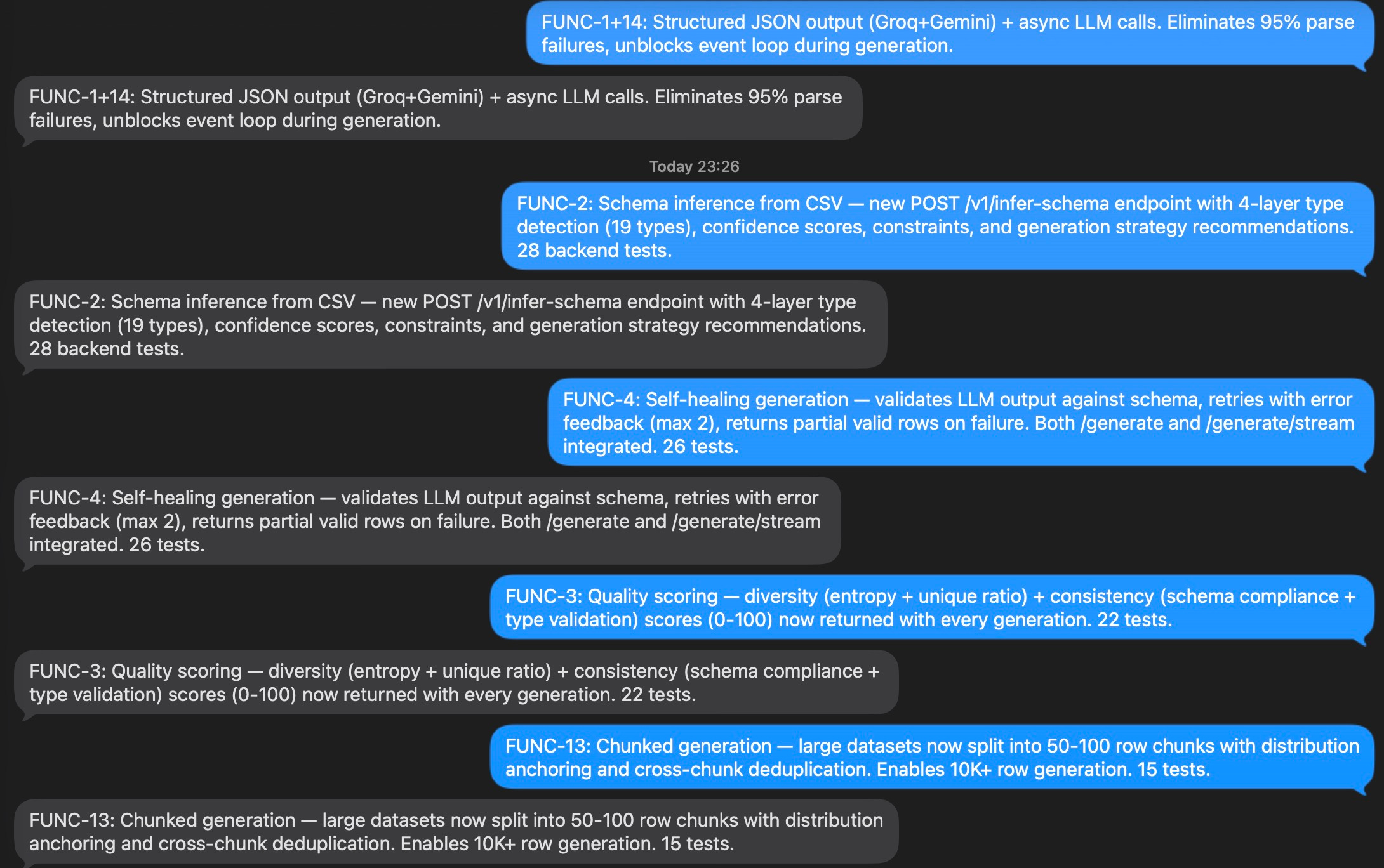
- I set up an imsg notification each time coder commits but it’s mental. Need to make it more decluttered
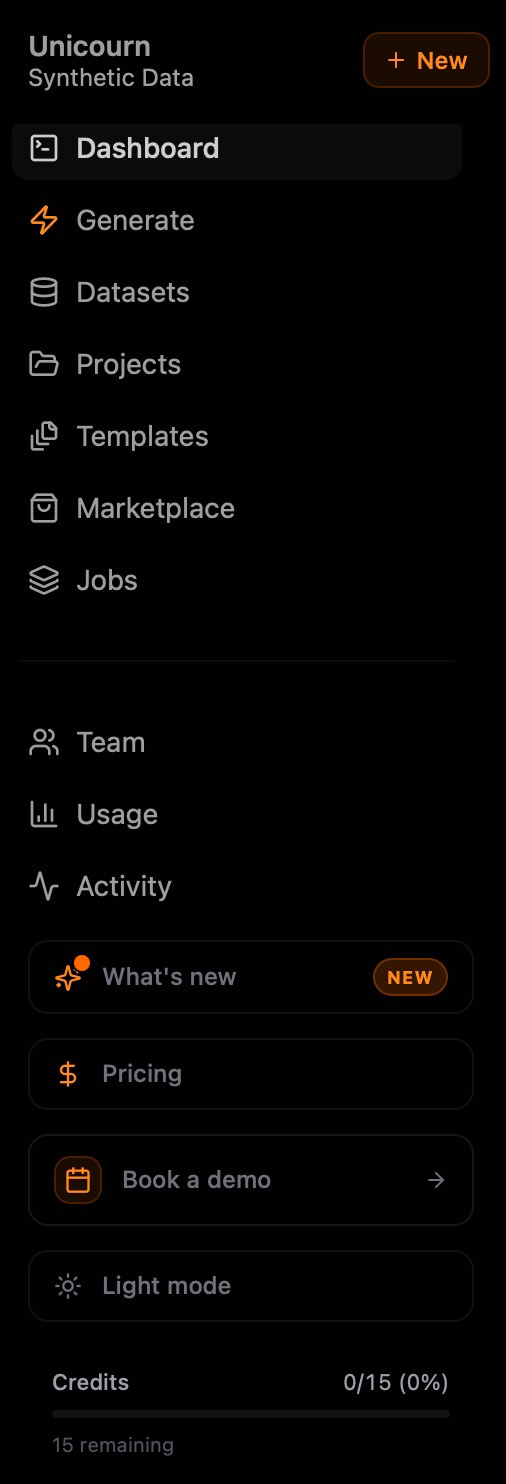
- Sometimes I find the agents just fucking around. Today I had a broken synthetic data generation method (the key functionality) and let the agents fix it on its own. Checked up on them 3 hours later, it was still unfixed + they added ?!64?! items on a navigation bar. HAVE YOU SEEN A PRODUCT WITH 64 ITEMS ON A SIDEBAR?! Got it down to 11.
Hope you liked this 💎 [FREE] deep dive 💎
Paid tier drops next week: 1 free deep dive/month, rest paywalled.
Running a pre-sale now: 22% off FOREVER (just 1 kebab/month)
How I can help
👨💻 Software
Need a top tech talent for your next product? Are you looking for your next gig? I’ve got you sorted.
📢 Advertising
Advertise in my newsletter to get in front of 13,219 founders.
🤿 Get more deep dives
Upgrade to a premium subscription to get an extra deep dive a week.